IPTV Buffering and Streaming Quality: A Practical Home Guide
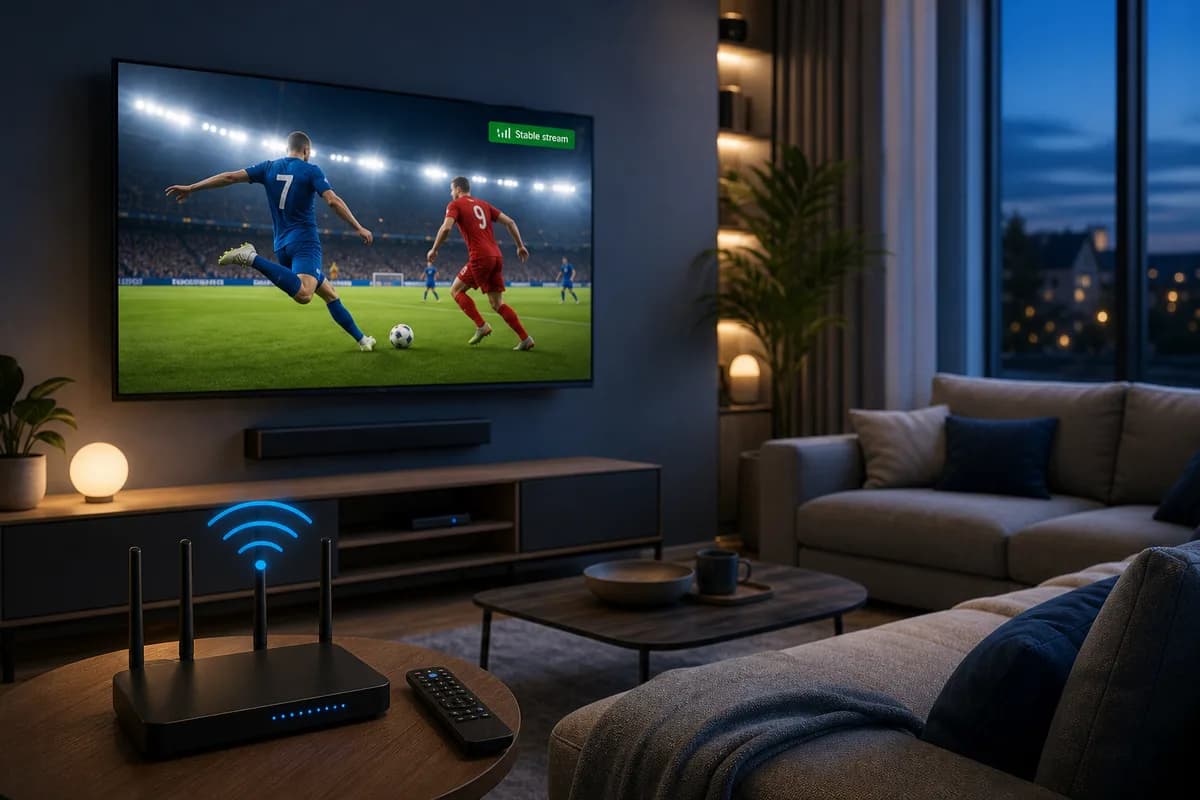
Buffering is the most common reason viewers search for help with IPTV — not channel count. When the picture freezes mid-match or a film takes forever to start, it is rarely the app itself first. Often it is a mix of network, device and how the service handles peak load.
This guide is informational: it explains why IPTV buffers, how to troubleshoot WiFi and which tests you can run at home. If you want to compare providers and plans, there is a separate page for that — here we focus on streaming quality and practical fixes.
Whether you watch on Smart TV, Firestick, Android TV, iPhone, tablet or PC, the principles are the same. A smooth IPTV experience depends on three things: a stable home connection, the right device and a service that handles live events without falling over.
What does stable IPTV actually mean?
Stable IPTV means consistent playback without repeated buffering, sudden channel drops, or constant app restarts. It does not mean perfect streaming every second of the day, because all internet-based services can be affected by local network issues. However, a reliable provider should deliver smooth viewing during normal use and recover quickly when a stream has a problem.
For most users, stability shows up in everyday situations:
- Live sports play through full halves without freezing every few minutes
- Movies and series start within a reasonable time and stay in sync
- Channel switching feels responsive, not painfully slow
- HD streams hold quality instead of dropping to a blurry picture
- The IPTV app does not crash when browsing large categories
- Support responds when activation or playlist details need fixing
If your IPTV subscription fails in these basic areas, the number of channels does not matter. Stability should always come before quantity when you compare IPTV providers.
Why streaming stability matters more than channel count
Many beginners choose IPTV providers based on huge channel numbers. That is understandable, but channel volume alone does not create a good viewing experience. A list with 20,000 entries is useless if the streams you actually watch buffer every night.
Think about how you really use IPTV. Most households rely on a smaller set of categories: live sports, news, movies, series, kids content, and a few international channels. What you need is dependable access to the content you open regularly, not a giant catalog you never browse.
Buffering during live events is the biggest frustration
Live TV is where unstable IPTV becomes most visible. A provider may work fine for on-demand movies but struggle when thousands of viewers open the same football match at kickoff. If you follow sports, prioritize IPTV providers that handle peak traffic well. Test during a live event, not only on a quiet Tuesday afternoon.
Picture quality drops signal deeper infrastructure issues
Another warning sign is constant resolution switching. If a stream repeatedly jumps between sharp HD and a soft, blocky picture, the service may be struggling to deliver enough bandwidth per viewer. That often points to overloaded servers or weak routing — problems that a channel list cannot fix.
Ready to test your setup?
Visit the homepage to see how IPTV Leverantör works, or compare plans and pricing — start with a free trial on your own device.
Common causes of unstable IPTV streams
Before blaming your IPTV provider for every issue, it helps to understand where problems usually come from. In many cases, instability is a mix of provider-side and home-side factors.
Weak or inconsistent home internet
IPTV is sensitive to upload and download stability, not just raw speed. Wi-Fi interference, an old router, too many devices on the same network, or a weak connection in the TV room can all cause buffering even when the IPTV subscription itself is solid.
If possible, use Ethernet for your TV or streaming box. If you must use Wi-Fi, place the router closer to the device or use a mesh system for more even coverage.
Overloaded provider infrastructure
Some IPTV providers cut costs by packing too many users onto limited server capacity. During peak hours, those services may buffer more often or fail to start certain channels. This is why two IPTV subscriptions with similar prices can feel completely different in daily use.
Outdated apps, wrong settings, or device limitations
Stability also depends on the player you use. An outdated IPTV app, incorrect time zone settings, or a TV with limited memory can create playback issues that look like provider failures. Always test with a recommended app version and follow the provider's setup steps carefully.
How to evaluate IPTV providers for reliability
Because you cannot see server infrastructure before subscribing, you need practical signals that separate stable IPTV providers from risky ones. Use the checklist below before you pay for any plan.
Clear setup guidance and responsive support
Professional IPTV providers explain activation clearly: which app to install, what device details to send, and how long activation usually takes. They also answer support requests without vague copy-paste replies. If a provider is hard to reach before you buy, expect worse support after you pay.
Fast activation and honest trial access
A free trial is one of the best tools for judging stability. It lets you test your device, your internet, and the provider at the same time. Be cautious with IPTV providers that avoid trials or push you into long plans immediately. A confident service usually lets you verify performance first.
When comparing IPTV providers, look for these reliability signals:
- Step-by-step setup instructions for your device
- Reasonable activation time after you submit details
- Trial access before a long IPTV subscription
- Consistent playback during peak evening hours
- Clear answers about devices, apps, and plan limits
- Stable performance on the channels you care about most
Devices and apps that affect IPTV stability
Your hardware and software matter as much as the IPTV subscription itself. A stable provider can still feel unstable on the wrong device or with the wrong app configuration.
Popular device categories include:
- Samsung and LG Smart TVs with supported IPTV players
- Android TV boxes and Google TV devices
- Amazon Firestick and Fire TV
- iPhone, iPad, and Android phones
- Windows PCs and Mac computers
- Tablets used with Wi-Fi or Ethernet adapters
For Smart TV users, app choice is critical. Players such as IBO Player, SmartOne, HOT IPTV, IPTV Smarters, and TiviMate are common, but not every app behaves the same on every TV model. Test the app recommended by your provider and confirm that channel lists load quickly without freezing the interface.
Compare stable IPTV plans for your device
Different devices and viewing habits need different plan lengths. Visit our homepage for an overview, then compare pricing to find an IPTV subscription that fits how you watch.
Internet speed requirements for stable IPTV
Speed is important, but consistency matters more. Many users have enough Mbps on paper yet still buffer because of Wi-Fi drops, ISP throttling, or shared household usage.
Practical speed targets for SD, HD, and 4K
As a general guide, leave headroom above the minimum. Other devices in your home will compete for bandwidth, especially during evenings.
- Standard definition streams: at least 10 Mbps stable download
- HD and Full HD streams: 25 Mbps or more recommended
- 4K or high-bitrate sources: 40 Mbps plus a wired connection when possible
- Multi-device homes: add extra bandwidth for each active stream
Seven steps to optimize your home network
Before switching IPTV providers, rule out local network problems with these steps:
- Restart your router and streaming device.
- Close unused apps and background downloads on the same network.
- Move from Wi-Fi to Ethernet if your TV or box supports it.
- Update your IPTV app to the latest compatible version.
- Test the same channel at two different times of day.
- Try another device in the same room to isolate hardware issues.
- Ask your provider to verify activation details and timezone settings.
Red flags when comparing IPTV providers
Some warning signs are easy to spot if you know what to look for. Avoid IPTV providers that show multiple reliability red flags at once.
- No trial option and pressure to buy yearly plans immediately
- Vague answers about supported devices and apps
- Slow or missing support before you become a customer
- Constant buffering on basic channels during your test period
- Frequent downtime without explanation or recovery guidance
- Confusing pricing with hidden device or renewal limits
- Requests for unnecessary personal data during activation
One bad evening does not always mean a provider is poor, but repeated problems across multiple days and devices usually mean the IPTV subscription will not meet your expectations long term.
How a free trial reveals real streaming stability
Marketing pages can promise smooth IPTV, but only real testing on your setup tells the truth. Use the trial period strategically instead of scrolling randomly for ten minutes.
During your trial, test the content you actually plan to watch. Open live channels at peak hours, play a full movie without skipping, browse categories to see if the app lags, and switch channels repeatedly to check loading speed. If possible, test on more than one device included in your plan.
Keep simple notes: which channels buffered, what time it happened, and whether the issue returned after restarting the app. That information helps you compare IPTV providers fairly and gives support something concrete to work with if you need help.
Ready to test stable IPTV on your setup?
Start with a free trial to check playback on your device and internet connection. Visit the homepage for details, compare IPTV subscription plans on the pricing page, and upgrade only when performance meets your expectations.
Choosing the right IPTV subscription length
Once you confirm stability, plan length becomes a value decision. Short plans offer flexibility. Longer plans can reduce the monthly cost if you already trust the service.
Short plans for testing and seasonal viewing
Monthly or short-term plans are ideal when you are new to IPTV, changing devices, or only need access for a specific sports season. They cost more per month, but they limit risk while you validate performance.
Longer plans for established daily use
If your trial proved stable across several days and devices, a 3-month, 6-month, or yearly IPTV subscription may offer better value. Only move to a long plan after you have tested peak-time viewing, not just one quiet session.
Setting up your viewing environment for fewer interruptions
Small setup choices can improve stability more than users expect. Use a dedicated streaming device if your Smart TV interface is slow. Keep the IPTV app updated, disable unused background services on the device, and avoid running heavy downloads on the same connection during live events.
For households with multiple viewers, discuss bandwidth usage in advance. One person streaming 4K content while another uploads large files can affect IPTV playback even with a good provider.
When to contact your IPTV provider support team
Contact support when problems are specific and repeatable. Provide your device type, app name, the channel or category affected, and the approximate time the issue occurred. Good IPTV providers can check activation data, confirm server-side status, and suggest settings changes that actually help.
Do not wait until the last day of a trial to report a major issue. Early support contact shows how the provider handles real customers and gives you time to retest before choosing a plan.
Final checklist before you subscribe
Use this final checklist before you commit to any IPTV subscription:
- You tested stable IPTV on your primary viewing device.
- Live channels worked during at least one peak-time session.
- Your internet connection met the recommended speed and stability targets.
- The IPTV app loaded categories and switched channels without major lag.
- Support responded clearly during setup or trial questions.
- Pricing, device limits, and renewal terms were easy to understand.
- You compared at least two IPTV providers before making a final decision.
Final thoughts on finding stable IPTV providers
Stable IPTV is not a mystery feature reserved for expensive services. It comes from matching the right provider with the right device, app, and home network. Focus on real playback during the times you watch most, not on impressive numbers in a sales headline.
Take advantage of trials, compare IPTV providers with a simple written checklist, and upgrade to a longer IPTV subscription only when performance is proven on your setup. That approach saves money, reduces frustration, and helps you build a viewing routine that actually works.
What is the most reliable way to test stable IPTV before subscribing?
Use a free trial on the exact device and app you plan to watch every day. Test live channels during peak evening hours, play a full movie or match, and repeat the test on a second day. Stable IPTV should perform consistently across those sessions, not only during a short casual browse.
How many Mbps do I need for a stable IPTV subscription?
For HD streaming, aim for at least 25 Mbps stable download with extra headroom for other household devices. 4K or high-bitrate streams benefit from 40 Mbps or more and a wired Ethernet connection. Consistent speed matters more than a one-time speed test screenshot.
Why do some IPTV providers buffer even when my internet is fast?
Buffering can come from overloaded provider servers, incorrect app settings, outdated players, Wi-Fi interference, or peak-time traffic on popular channels. Fast home internet helps, but it does not fix every upstream issue. Testing multiple times and devices helps identify the real cause.
Which devices work best for stable IPTV streaming?
Firestick, Android TV boxes, modern Smart TVs with supported IPTV apps, phones, tablets, and PCs can all work well when configured correctly. Dedicated streaming devices often outperform built-in TV apps that have limited memory or older software.
Should I choose a monthly or yearly IPTV subscription?
Start monthly or with a short plan while you validate stability, then move to a longer IPTV subscription if performance stays strong across peak viewing times. Yearly plans can offer better value, but only after your trial proves the service is reliable on your setup.